From OpenClaw to Grok Bot
From OpenClaw to Grok Bot
I ran OpenClaw on the home network for a while. It connected Claude, Grok, and GPT-4o to Telegram and the other chat apps, ran scheduled jobs, and kept a second brain in vector memory. It did real work. It was also pretty involved to open and keep going.
Config lived in JSON. Jobs lived in more JSON. Channels, models, timeouts, cron, log files. If something drifted, it usually failed quiet. I wrote about that earlier: the best way I found to configure OpenClaw was another AI . I put Claude Code on the same machine just to manage it. Describe the change in English, let Claude Code edit the files, validate, restart. That helped. It also meant I was running two systems so I could keep one of them alive.
That’s more project than I wanted. OpenClaw also tended to burn tokens quickly. Every job, every channel hop, every time Claude Code had to re-read the config to fix something, the meter moved. Fine for an experiment. Expensive as a daily driver.
Grok Bot
What I like about Grok Bot is the messenger-style UI, and the capability behind it.
It looks like a chat thread because that’s how I already work. I don’t open a gateway, check whether cron is still healthy, then remember which JSON file holds the thing I want to change. I open the chat and say it. Behind that is enough capability that I don’t miss the gateway: files, a browser, GitHub, Gmail. Morning Kentucky history and daily wisdom still show up. I didn’t have to rebuild a jobs.json to get them.
I also like the dedicated agents for tasks, and Chief of Staff managing them. News has a bot. The homelab has one. Zerto has one. This site has one. Kentucky history has one. I talk to Chief of Staff when the work spans more than one of those, instead of bouncing between six chats. OpenClaw could run multiple agents too. It just made me own the routing.
It also seems to be more efficient with tokens. Same kind of work, less of the extra machinery that was chewing through usage just to stay standing.
When something is off, I say so in the same thread. I am not SSH’ing in to babysit a config file before breakfast.
The permanent Linux machine
The permanent Linux machine is the game changer.
It is one Linux computer. All of my agents share it. Not one machine per bot. One host, several agents standing on it.
That shared part is the useful part. Same disk, same packages, same Tailscale, same signed-in browser. I join the tailnet once. I install a tool once. I log into a site once. After that, Chief of Staff, Home Lab, the site bot, all of them can use it. Close the chat and come back tomorrow and none of that has vanished.
What they do not share is the screen. Each agent gets its own desktop on that same computer. Home Lab can be in a browser on its desktop while Chief of Staff is in a terminal on another. They are not fighting over the mouse. They also did not each get a separate server. One machine that does not forget, and a desk for each agent.
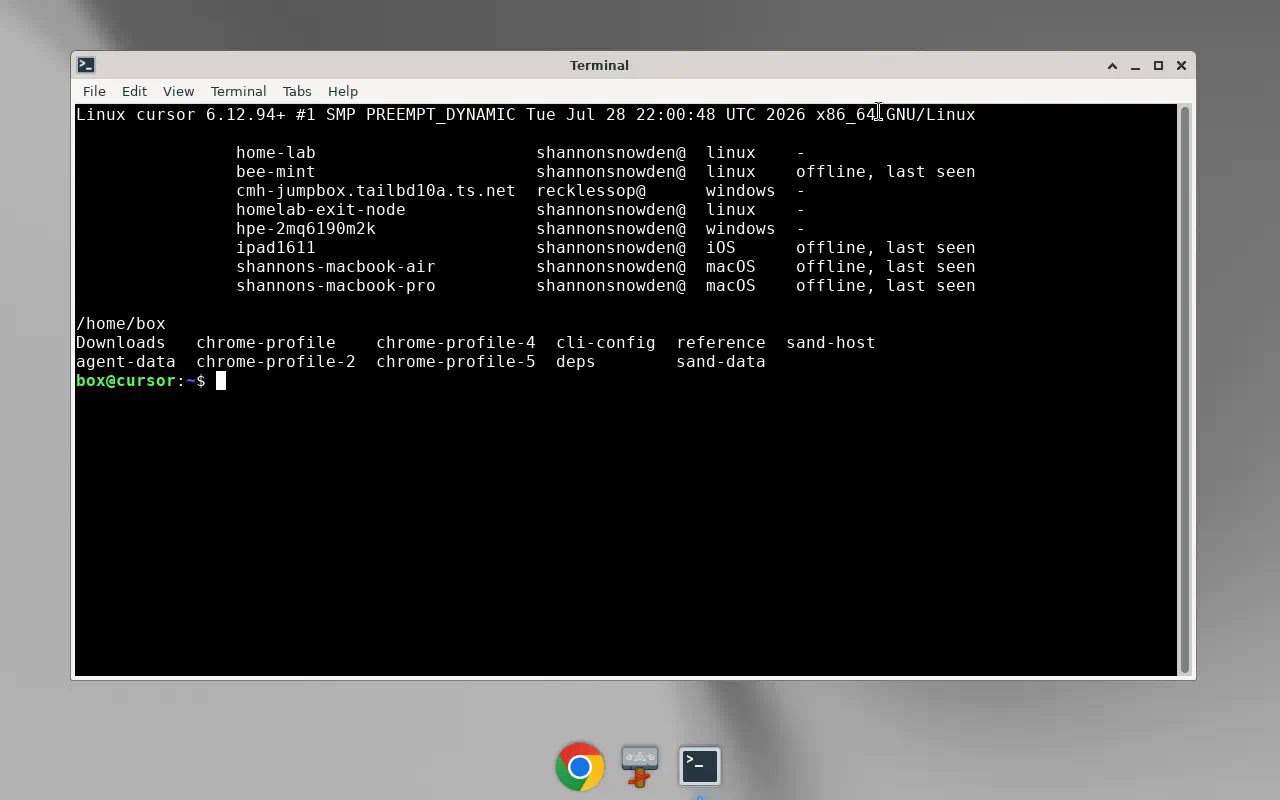
I can open an agent’s desktop from the chat and watch it work, or take the keyboard when something needs me. Passwords and 2FA stay mine. The bot never sees them. I sign in on that screen once, the session persists, and from then on it can use the site like I would.
I put Tailscale on that machine so it sits on the same tailnet as the rest of the house. From there the bots can manage the homelab: WatchYourLAN, the rest of the gear, without opening extra holes in the firewall. OpenClaw lived on my network too, but I owned every bit of its uptime. Disk, Docker, tokens, the 5am jobs. I still own the homelab. I don’t need a second job keeping an AI gateway breathing.
What I kept
I still want the briefs, a homelab check that only pings me when a host actually changes, and notes that stay on my machines unless I say otherwise. I just don’t want a gateway, a CLI babysitter, and a vector index in order to get there.
OpenClaw was a good experiment. Grok Bot is the setup I actually use.
Earlier: The Best Interface for Configuring an AI Gateway Is Another AI .